 pii-mask
Mask personal data
before you paste into AI
Built for the Taiwan formats English-language tools miss — national IDs, mobile and landline numbers, business numbers (UBN) and addresses. Your phone swaps them for placeholders on-device, so the AI still gets the meaning but never sees the real values.
- One-time ~NT$150
- On-device
- No cloud
- No account
Why you can trust it
On-device
Masking runs on your device. Your text and the placeholder-to-value mapping live in memory only and are never written to storage.
No cloud
The app never sends your text to any server and contains no analytics, advertising or crash-reporting SDKs. The Android app doesn't even request internet permission.
No account
No sign-up, no login. You buy through the App Store or Google Play and use “Restore purchase” on a new phone.
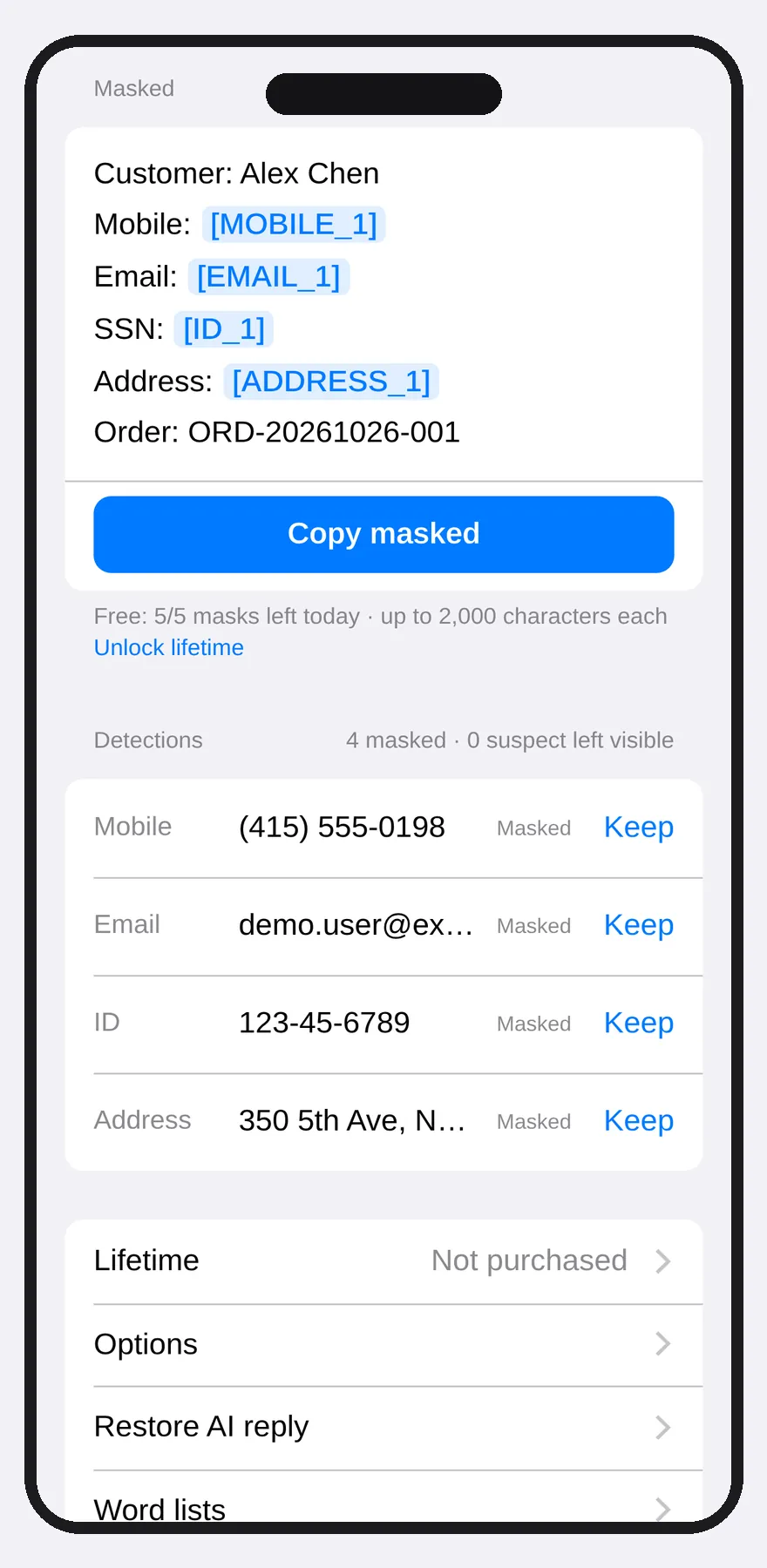
Screenshots
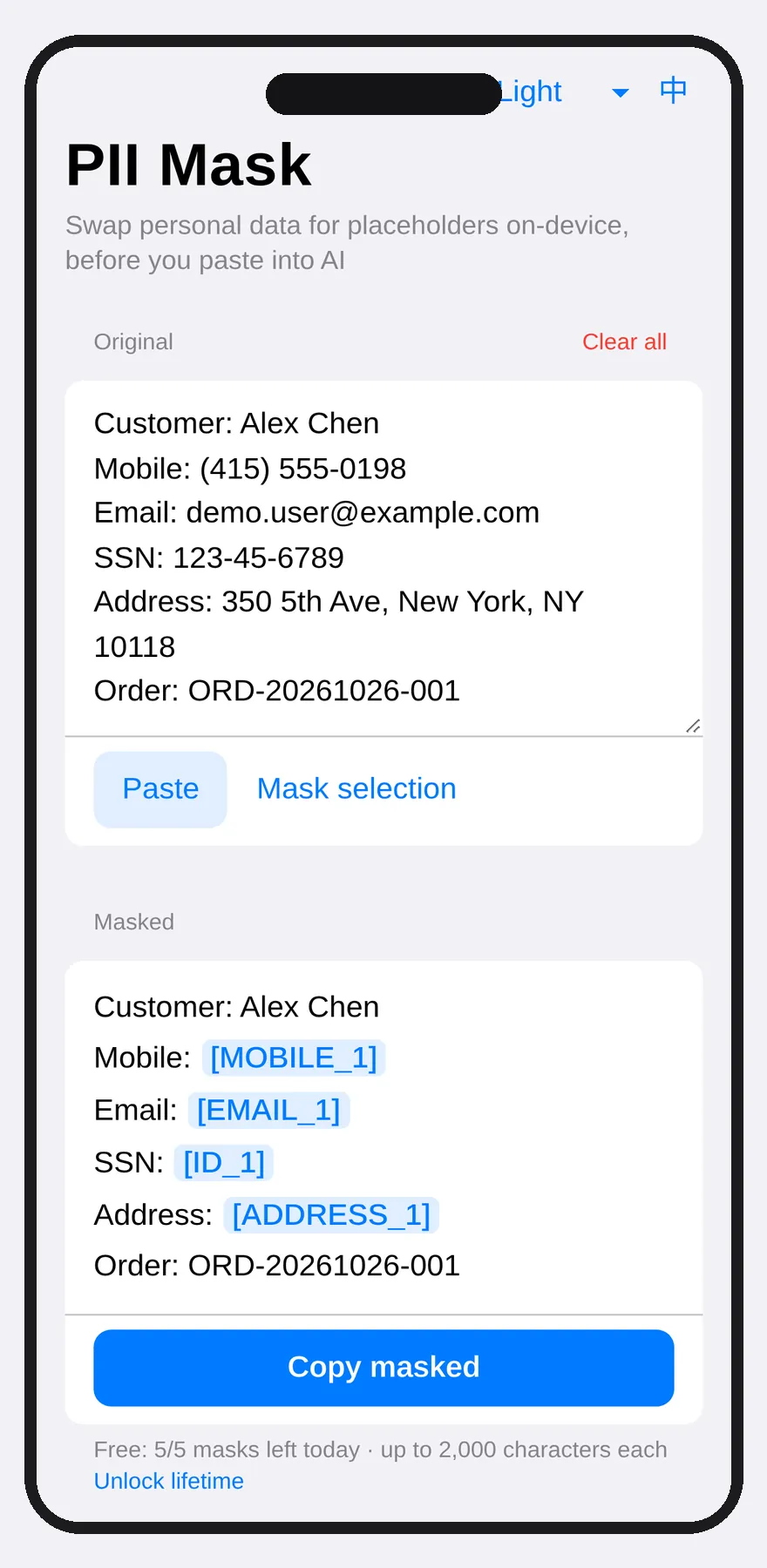
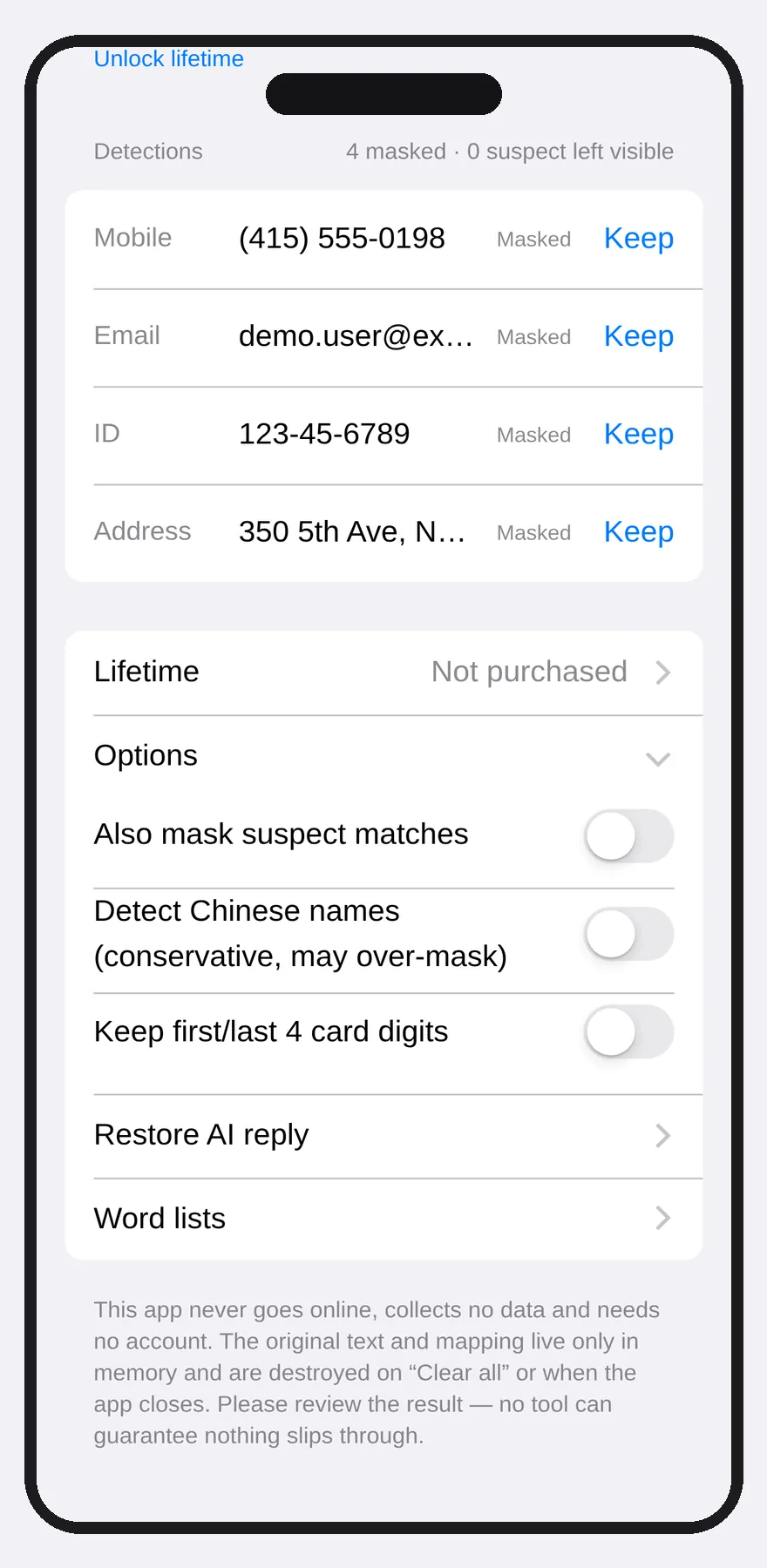
Same app · tablet in landscape
On wider screens such as an iPad, the original and the masked text sit side by side. This isn't a separate web product — it's the same app.
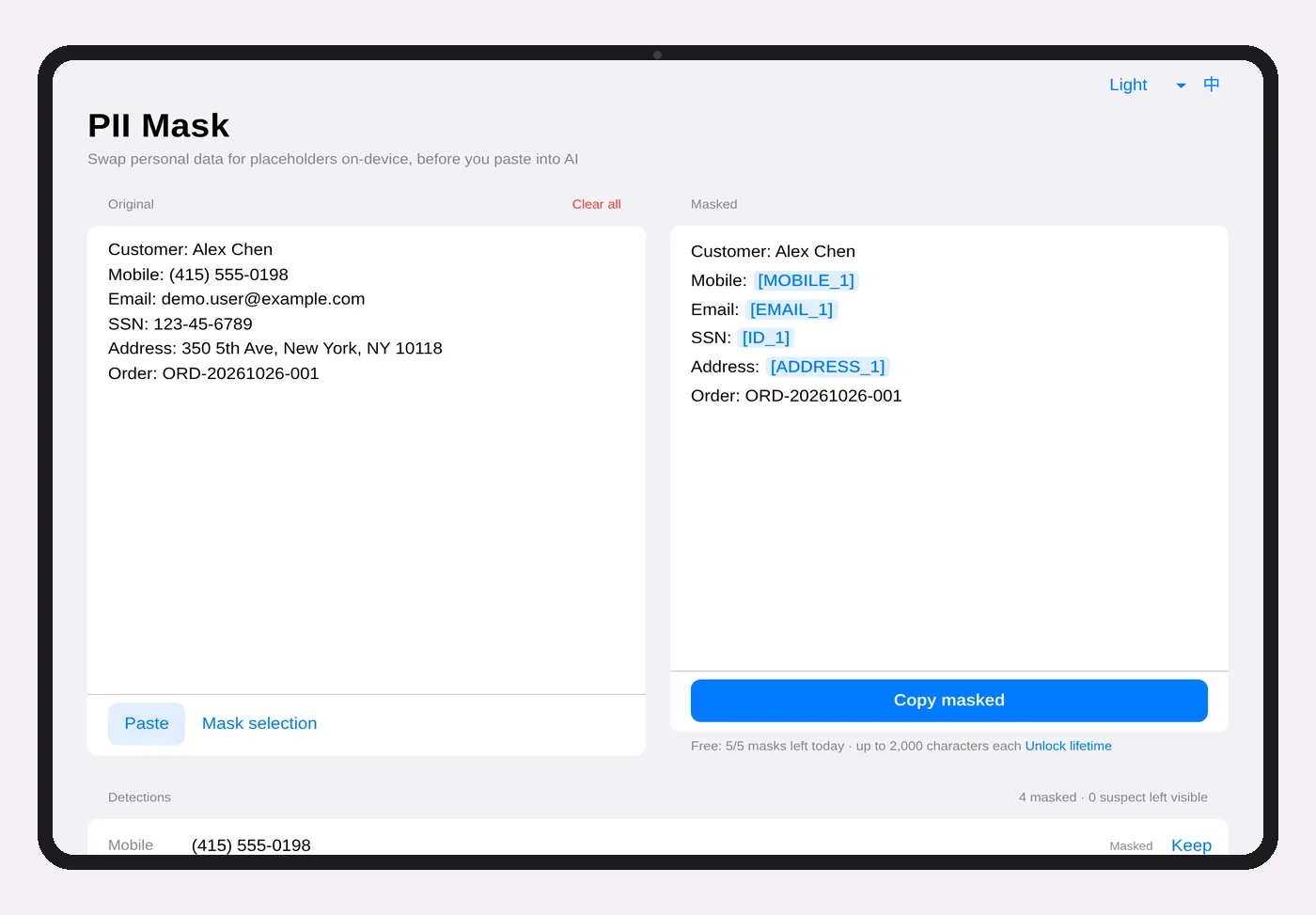
All images are real app screenshots; all sample data is fictional.
How it works
Paste
Paste the text you want to send to an AI. The app only reads the clipboard when you tap “Paste”.
Review
Placeholders appear instantly. Tap “Keep” on anything you want visible; select anything missed and tap “Mask selection”.
Copy into your AI
Only the masked version is copied. Paste the AI's reply back and the placeholders turn back into the original values.
- National ID / resident certificate (checksum)
- Mobile 09xx / +886
- Landline (with area code)
- Business number UBN (checksum + context)
- Taiwan address fragments
- Credit card (Luhn)
- Names (optional, conservative)
- Always-mask / never-mask lists
Pricing
Launch price about NT$120 until 2026-12-09 (matches the store price schedule).
No subscription, no auto-renewal. The final price is whatever the App Store or Google Play shows at checkout; about US$4.99 in the US store. No partial refunds if the price changes or goes on sale later.
| Free | Lifetime | |
|---|---|---|
| Masks per day | 5 | Unlimited |
| Characters per mask | 2,000 | 50,000 |
| Taiwan rules, word lists, restore | ✓ | ✓ |
| On-device, no cloud | ✓ | ✓ |
Honestly: no tool can catch every piece of personal data. pii-mask works by rules, so it will occasionally miss or over-mask something (names, for example, are off by default). Take a quick look before you paste into an AI.
FAQ
Does my text get uploaded anywhere?
No. Masking happens on your device. The app has no upload feature and no analytics, advertising or crash-reporting SDKs. The Android app requests no internet permission; the iOS app's code makes no network connections, and purchases are handled by the App Store.
Do I need an account?
No. Your purchase is tied to your Apple ID or Google account — tap “Restore purchase” on a new device.
Subscription or one-time?
One-time, yours for life, no subscription. Free: 5 masks a day, up to 2,000 characters each. Lifetime: unlimited, up to 50,000 characters each.
How does the launch price work?
It runs for 30 calendar days from launch day. Everyone who buys in that window pays the launch price, no matter when they installed. Afterwards the price returns to NT$150. No partial refunds for earlier buyers.
Which Taiwan formats does it mask?
National IDs and new-style resident certificates (with checksum), mobile and landline numbers, business numbers (UBN), address fragments, email and credit cards. Chinese names are hard to detect reliably, so name detection is off by default — turn on the conservative detector in Options, or add names to the Names list.
Is it guaranteed to catch everything?
No — no tool can. We deliberately err on the safe side: numbers that fail the checksum are flagged as “suspect” rather than masked automatically, so order numbers aren't mistaken for IDs. Please review before you paste.
Does it work offline or in airplane mode?
Yes, masking needs no network. Only buying and restoring a purchase need the App Store or Google Play.
Which platforms and languages?
iPhone, iPad and Android. The interface is available in Traditional Chinese and English, with Light, Dark and Ink appearances or follow-system. On wide screens such as an iPad, the original and masked text sit side by side.
Where is data stored? What happens if I uninstall?
Only your options, word lists, appearance, language, daily usage count and purchase status are kept in the app's settings on your device — never the text you paste. Uninstalling the app deletes them. See the privacy policy.
How is this different from ChatGPT or a security suite?
pii-mask is neither an AI nor a security product. It's a before-you-paste text tool: it swaps personal data for placeholders, and you decide where to paste the result.
How do I report a wrong detection?
Email piimask.app@gmail.com with a made-up example (please never send real personal data).